Turn your photo
into a professional stencil.
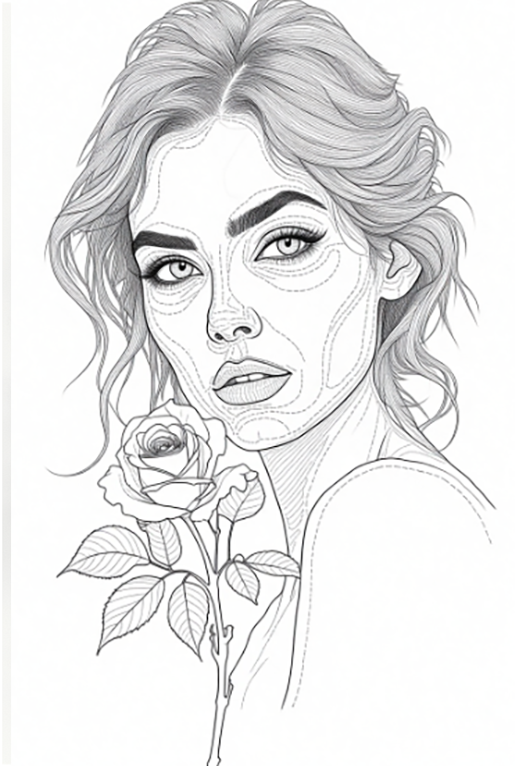
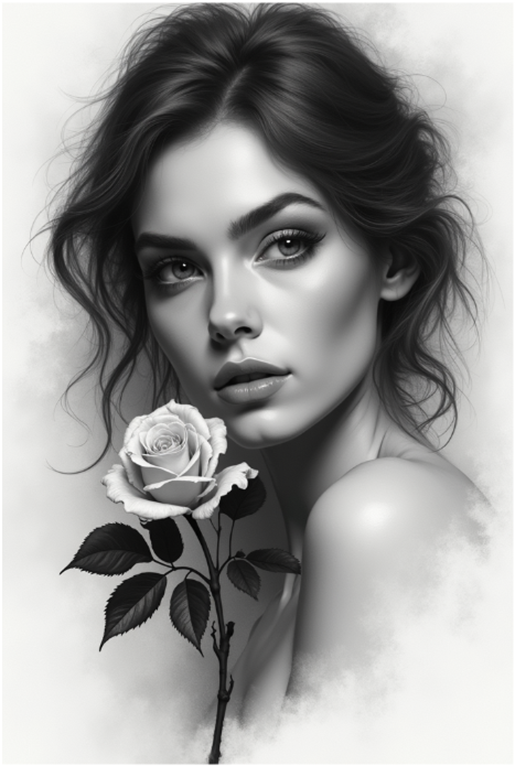
SmartContour uses AI to turn your photos into detailed tattoo stencils. Generate a design, refine it in the editor and prepare it for printing.
Your image.
Your linework.
Compare your original and stencil, rotate your design and adjust line thickness. See what you can do in 18 seconds.
Join the free beta →Explore more examples18 seconds · no sound · editor demo · Polish video captions
Upload your image
Upload a portrait, an object or any design you want to work with.
Choose a style
Choose how AI interprets your image as a stencil.
Edit and download
Adjust the size, position and paper format, then download your finished design.
AI styles
Four styles.
One simple workflow.
Choose the linework that suits your image and refine the result at your own pace.
Topographic
Fine lines and detail.
Topographic V2
A softer take on topographic linework.
Engraving
Classic engraving and clean outlines.
Engraving V2
A different approach to engraving.
Smart editor
Your stencil.
Your control.
Once generated, place your stencil exactly where you need it. Resize, rotate, mirror and arrange your design for your chosen paper format.
For tattoo artists
From inspiration to paper, with fewer steps.
SmartContour does not replace your artistic judgement. It helps with the repetitive preparation so you can get back to designing and tattooing.
Composition
AI works from your image to capture the character of your design.
Editor
Layers, rotation, mirroring, scaling and custom paper sizes.
Export your finished stencil as a 300 DPI PNG or PDF.
FAQ
Frequently asked questions
+How long does generation take?
Usually from tens of seconds to a few minutes, depending on AI service load and your chosen style.
+Are my images private?
Your images are used to support your project and generate results. Deleting a project from your dashboard removes its source files and generated images.
+What are credits?
Credits determine how many generations you can run. During the beta, credits are provided through invitation codes.
+Can I arrange several designs on one sheet?
Yes. Add saved, previously generated stencils to a single A4, A3 or custom-sized document.
+Is the result ready to tattoo?
This is an assistive tool. Always check the linework, proportions and placement on the body before using a result.
Beta version
Apply for the SmartContour closed beta.
Join the tattoo artists helping us refine SmartContour before its commercial launch.
Join the beta →